PONT Tutorial | Understanding Pont's Powerful Reporting Features: A Comprehensive Guide
Pont's reporting feature puts powerful data at your fingertips. Let me show you how it works.
Whether you're running a single location or managing multiple spaces, these reports help you make smarter, faster business decisions.
Data Export Options
Getting your data from Pont is easy. You can:
Export all your workspace settings
Download member preferences
Get sales and behavior data in CSV format
The CSV format lets you dig deeper into your data outside of Pont. You can analyze it any way you want to gain more insights about your business.
Revenue and Profit Analysis Tools
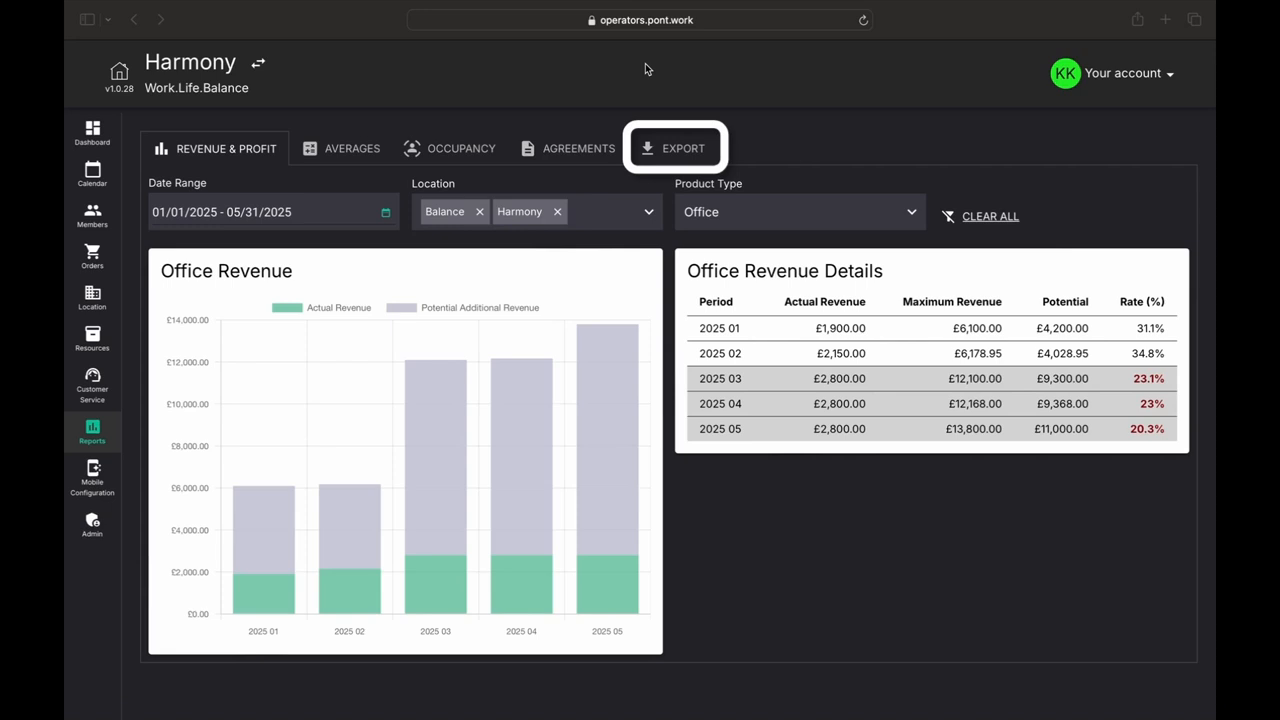
Pont comes with ready-to-use reports to track your money. Let's look at how to use the Revenue and Profit tools.
Using the Reports
The system makes it simple to see your income. Here's what you can do:
Pick your dates to see income for specific time periods
Choose which locations to view
Filter by product type to focus on specific areas
This makes it easy to understand where your revenue is coming from, whether it's from private offices, dedicated desks, or shared workspaces.
Report Features
The dashboard shows clear charts and tables that help you:
Track actual revenue month by month
See potential additional revenue
Compare income across different workspace types
Monitor growth trends over time
The simple layout helps you spot patterns and make smart choices about your workspace business.
Understanding Utilization and Contract Trends
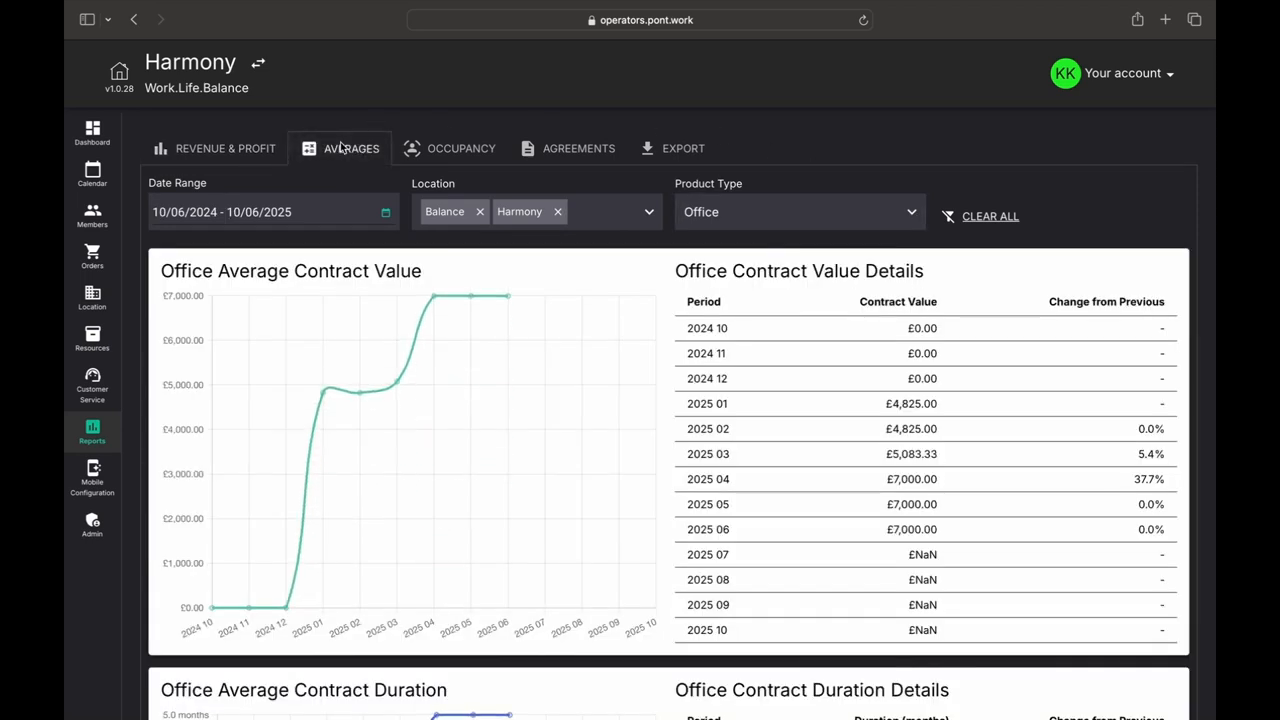
Let me show you our six key reports that track how your space is used. These tools help you see the big picture of your workspace performance.
Contract Value Insights
You can track how much members spend over time. The system shows you average contract values at a glance. This helps you spot spending patterns easily.
Contract Length Patterns
You'll also see contract duration trends, which can help you identify if members are committing to shorter or longer terms.
Space Usage Tracking
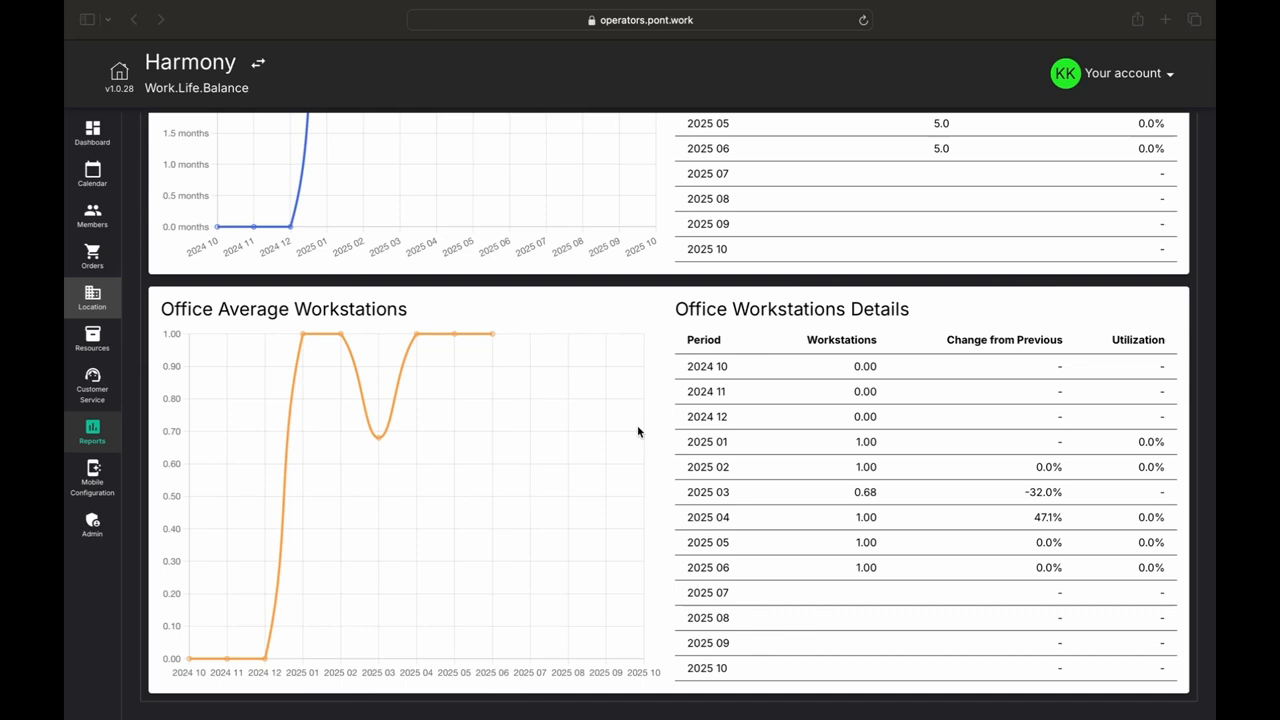
Want to know how well your space is being used? Our workstation trends show you exactly that. You can see:
How efficiently members use the space
Compare current use to past months
Spot areas that need attention
These reports make it simple to track your workspace's health and spot ways to grow your business.
Occupancy and Agreement Management
Let's explore how to track your space usage and manage agreements in Pont. The system offers two main tools to help you stay on top of your workspace operations.
Using the Occupancy Tab
Here, you can view your actual headcount over time, not just signed agreements, but the number of people actively using your space.
The Occupancy tab helps you:
See who's using your space day by day
Spot seasonal patterns in usage
Match usage trends with your income
Plan staff schedules better
Managing Agreements
The Agreements tab is your go-to place for contract tracking. Here's what you can monitor:
Every customer's full contract history
Total value of each agreement
How long contracts run
When renewals are coming up
Member retention patterns
These tools give you a clear picture of your workspace business. You can easily track everything from big-picture revenue to detailed space usage.